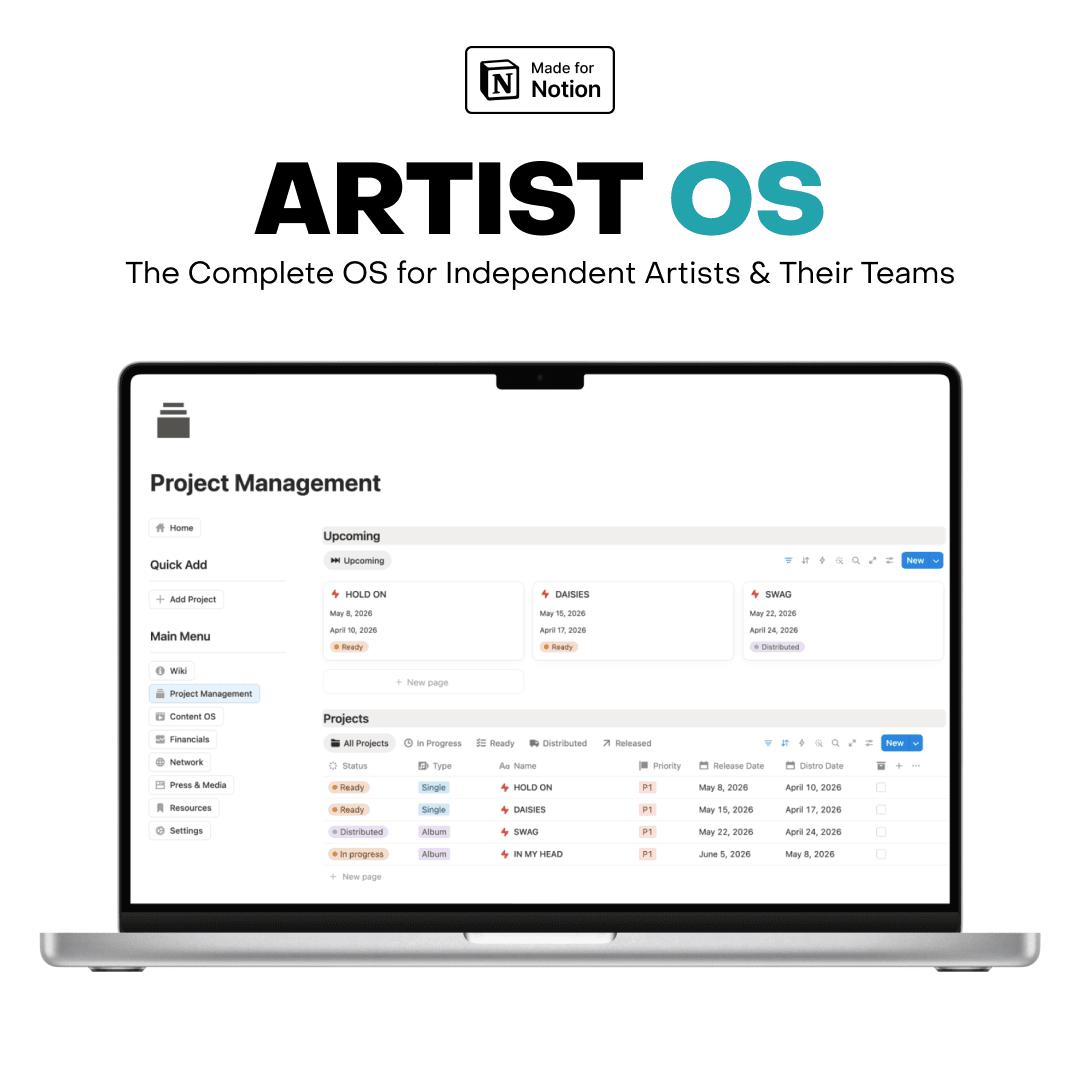
Artist OS / Made for Notion
v2.0 · 2026
Built by the artist behind 50M+ streams
ARTIST OS.
The complete operating system for independent music artists and their teams.
- →One-time payment. Lifetime access.
- →Notion free plan compatible.
- →Duplicate to your workspace in 60 seconds.
01 / The problem
MOST ARTISTS
ARE TALENTED.
FEW ARE ORGANIZED.
You have the music. You have the vision. But between managing releases, tracking money, planning content, chasing press, and staying on top of your team — your career is running you. Not the other way around.
Splits in iMessage. Pitches in a notes app. Receipts in a Drive folder you can't find. Releases pushed back because nobody knew whose turn it was to send the masters.
The artists who break through are the ones who can also remember which A&R they pitched in March.
Artist OS is the system I rebuilt my career on. Now it runs Charlie Crown — releases on Sony Music, Ultra, and Dim Mak, plays from The Chainsmokers, Martin Garrix, Steve Aoki, and Illenium — and the labels and artists I work with.
02 / What's inside
7 MODULES.
LINKED, NOT STACKED.
One workspace. Everything you need. Nothing you don't.
Module 01
Your source of truth
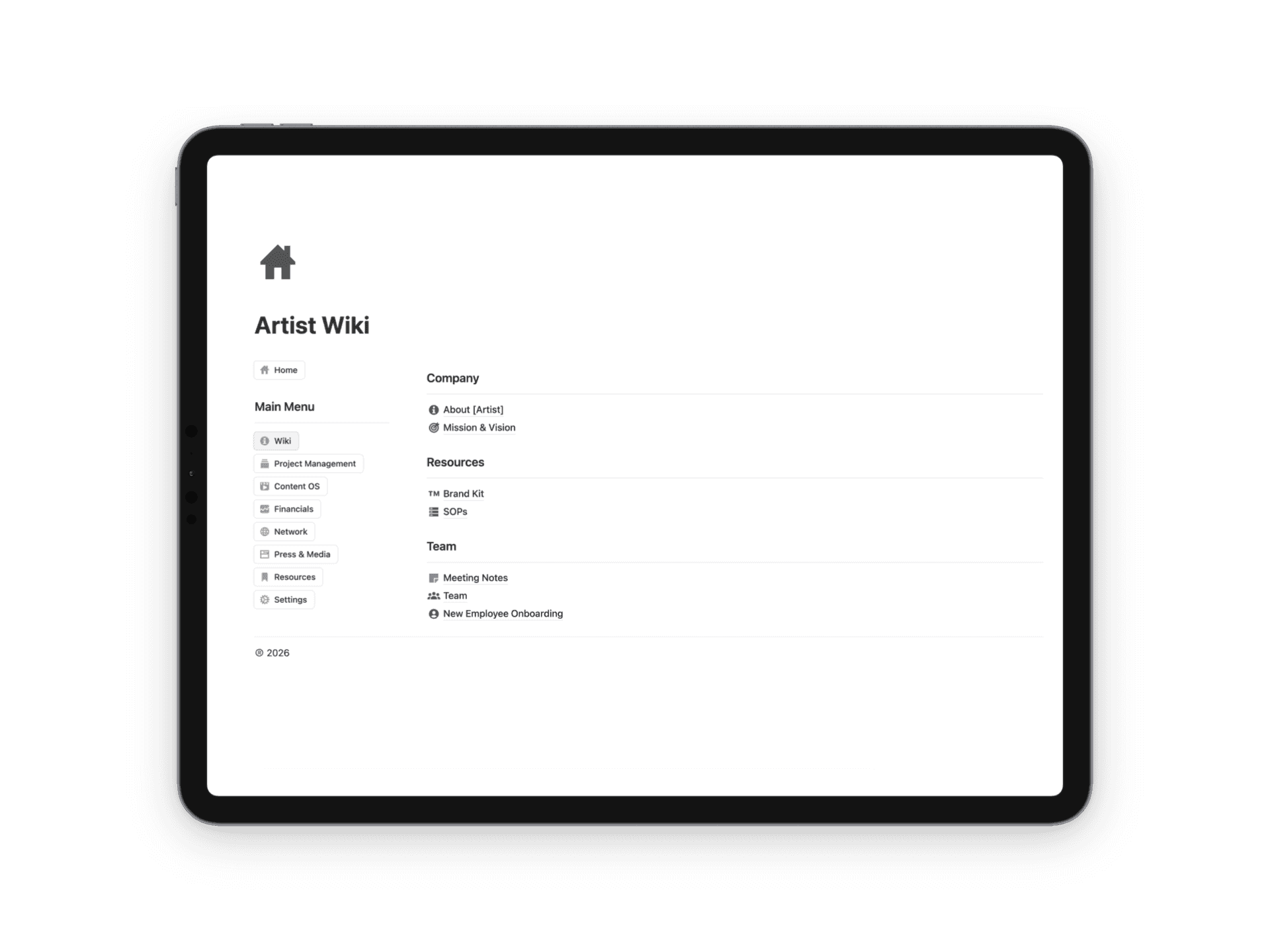
ARTIST WIKI
Most artists carry their entire identity, team info, and workflows in their head. When something falls through the cracks — a new team member joins, a collaborator needs your bio, a manager asks for your brand guidelines — everything slows down or gets lost.
- →About + Mission & Vision pages keep your direction clear
- →Brand Kit with logos, colors, aesthetic direction
- →Full EPK — short, medium, long bios ready to copy-paste
- →SOPs for every key workflow (release, content, onboarding)
- →New Employee Onboarding so new hires self-onboard
- →Meeting Notes — searchable, linked to follow-ups
Module 02
Idea → In Progress → Released
PROJECT MANAGEMENT
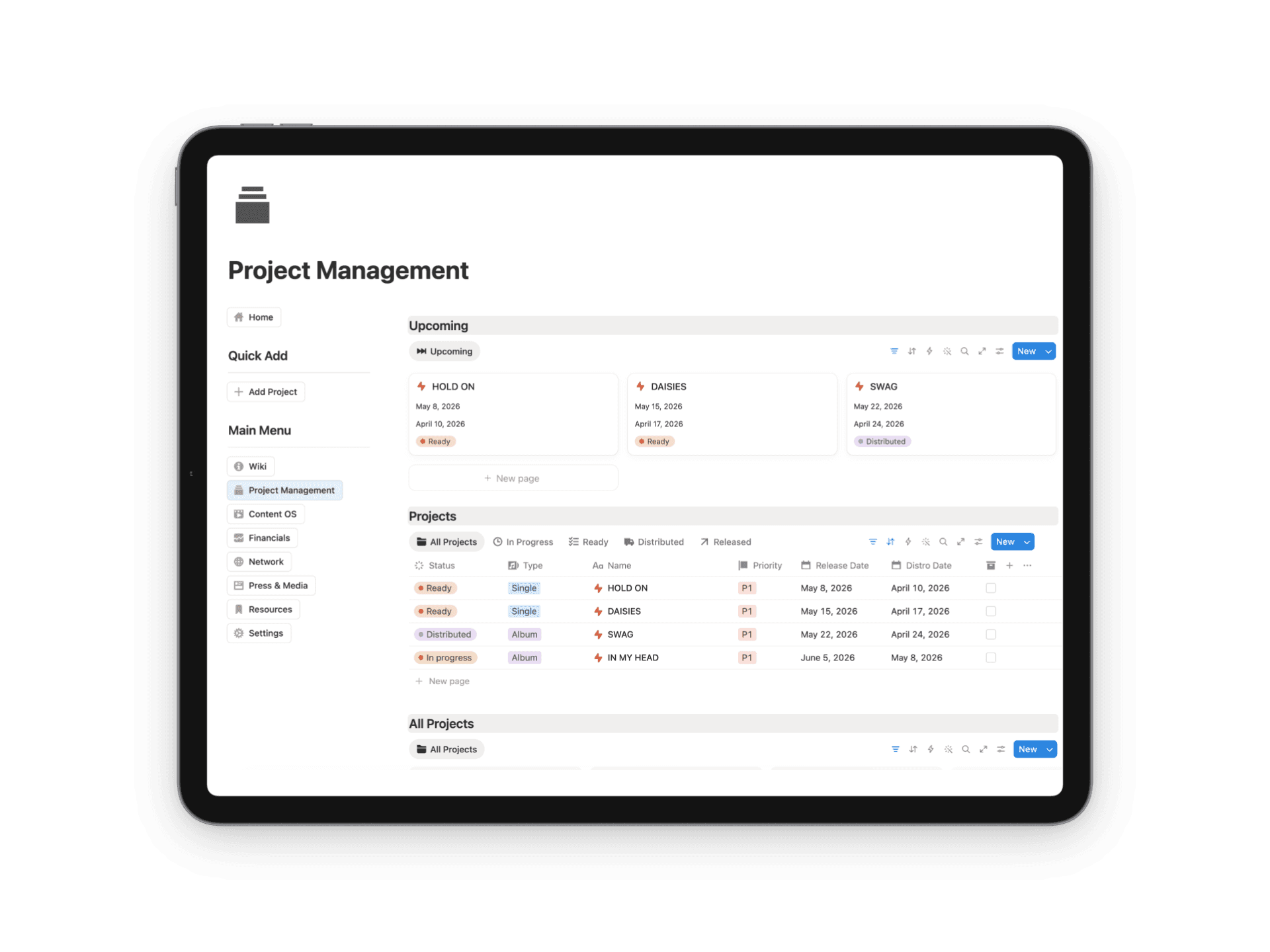
The engine of Artist OS. Every project lives here as its own page, tracked through a complete status pipeline: Idea → In Progress → Ready → Distributed → Released. Every song. Every EP. Every album.
- →BPM, key, genre, release type, priority, dates
- →Splits tracker — document ownership percentages cleanly
- →Collaborator payment log — track who's paid, who isn't
- →Per-release budgets so you never go over on a rollout
- →Pre-release, day-of, post-release checklists
- →Asset storage + DSP links + distribution calendar
Module 03
Your content pipeline, synced to releases
CONTENT HQ
Consistent content is how independent artists build audiences and keep them. But without a system, content becomes reactive, stressful, and disconnected from your music. Content HQ fixes that. Every Reel, TikTok, Short, and Story tracked through a complete pipeline.
- →Idea → Planning → Scripting → Filming → Editing → Scheduled → Published
- →To Edit queue keeps your editor focused on what's next
- →Upcoming view shows the next two weeks at a glance
- →Captions drafted in-place, platforms tagged
- →Content linked directly to specific releases
- →Archive what's done — searchable forever
Module 04
Three dashboards. Real numbers.
FINANCIALS
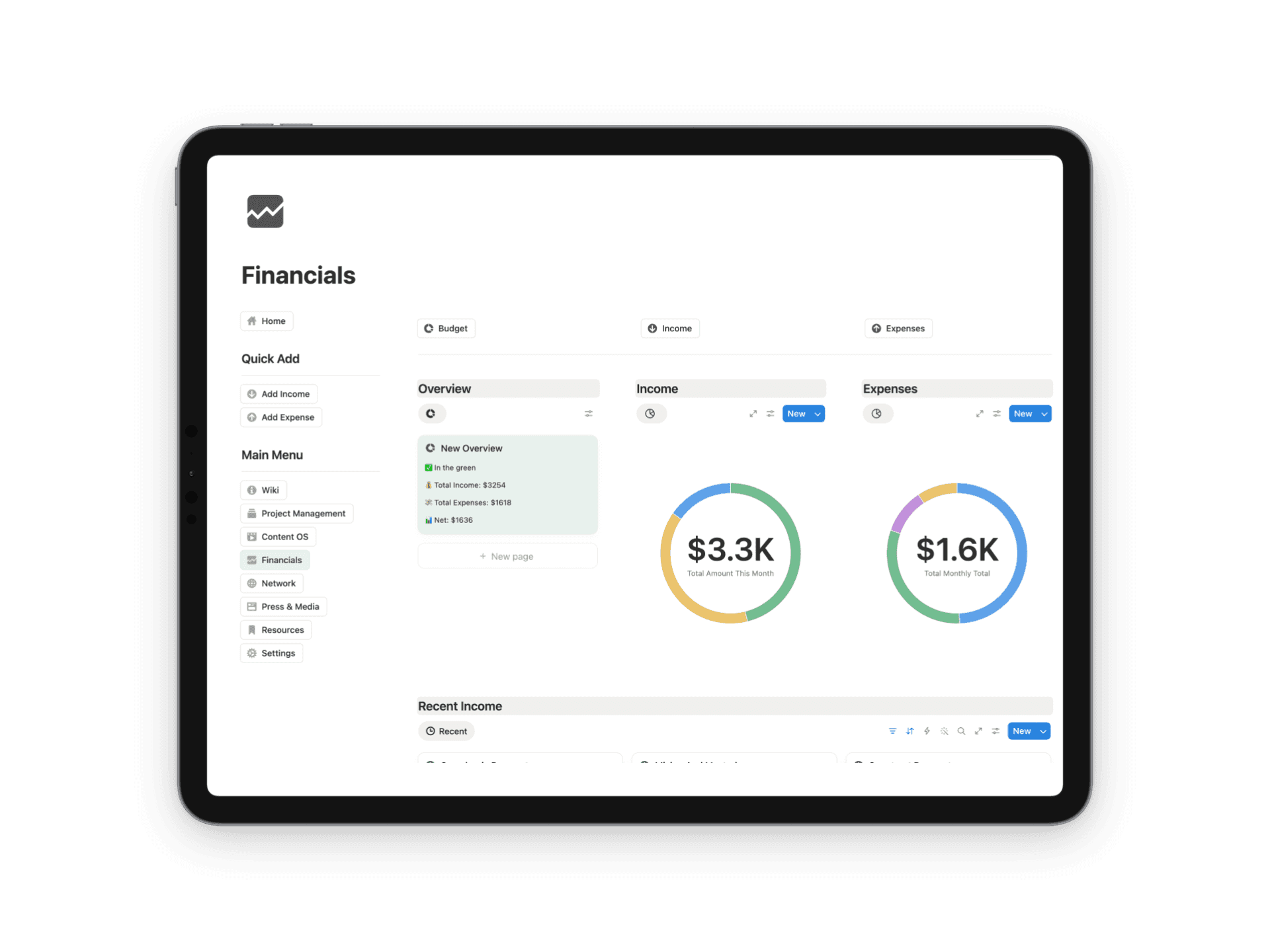
Most independent artists have no clear picture of what they actually make or spend. Artist OS changes that with a Financials dashboard that tells you the truth about your money at a glance.
- →Overview — total income, total expenses, net position, alerts when you're spending more than you're earning
- →Income — streaming royalties, sync, live, merch, brand deals, fan support — all categorized
- →Expenses — studio time, mixing, mastering, advertising, equipment, travel, contractors
- →Tax-deductible flags built in — year-end becomes a 30-minute job
- →Budget tied directly to Project Management
Module 05
Your most valuable long-term asset
NETWORK
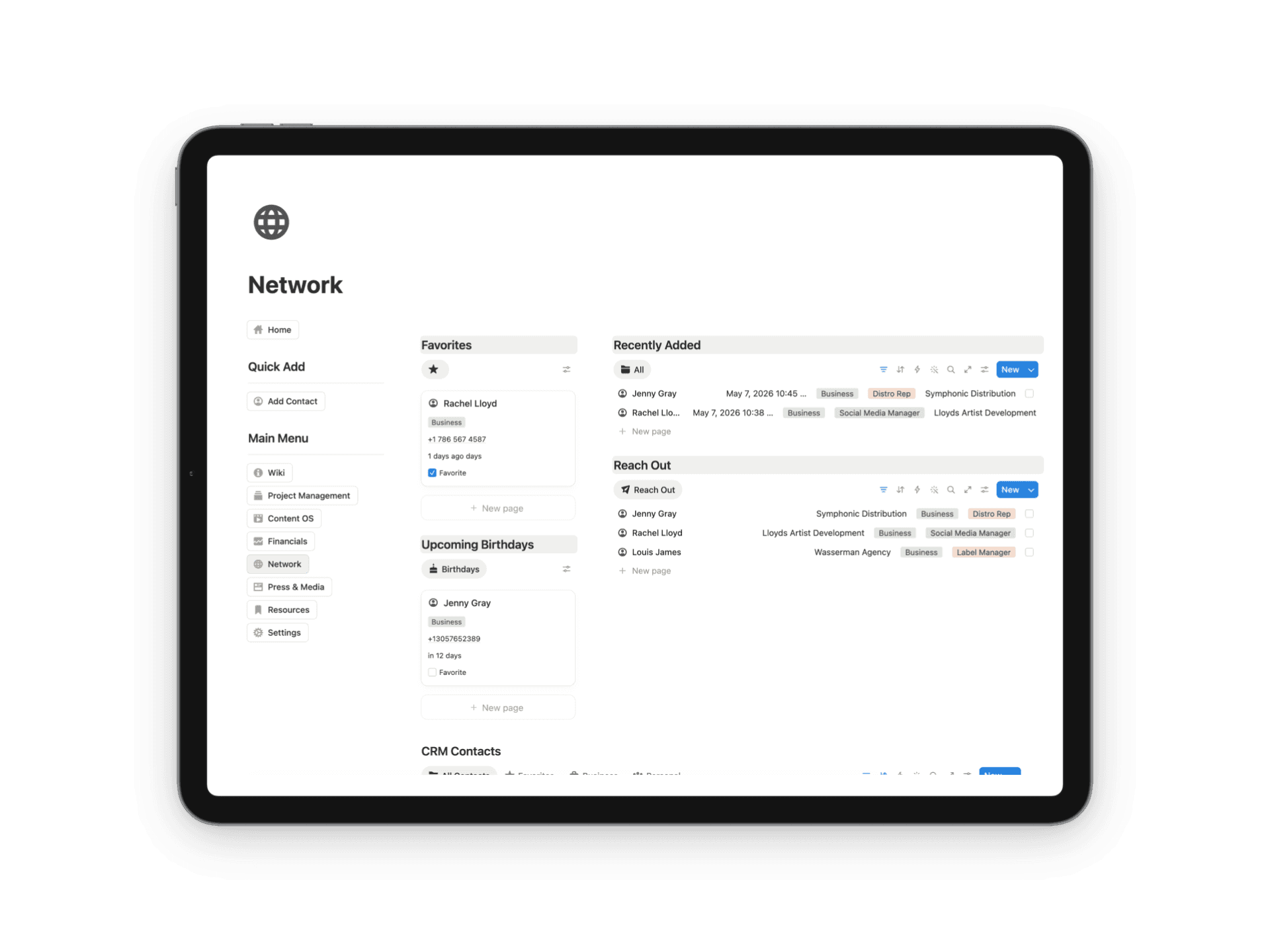
Opportunities don't come from algorithms — they come from relationships. Artist OS gives you a full Contact CRM to manage every meaningful industry connection: A&Rs, playlist curators, sync supervisors, booking agents, journalists, producers, managers, lawyers, and collaborators.
- →Tagged Business or Personal, Favorited for quick access
- →Reach Out view shows exactly who you've flagged to follow up with
- →Last-contacted date + relationship type + notes per conversation
- →Upcoming Birthdays view — small detail, big impact on relationships
- →No important connection ever goes cold again
Module 06
Pitch → Published
PRESS & MEDIA
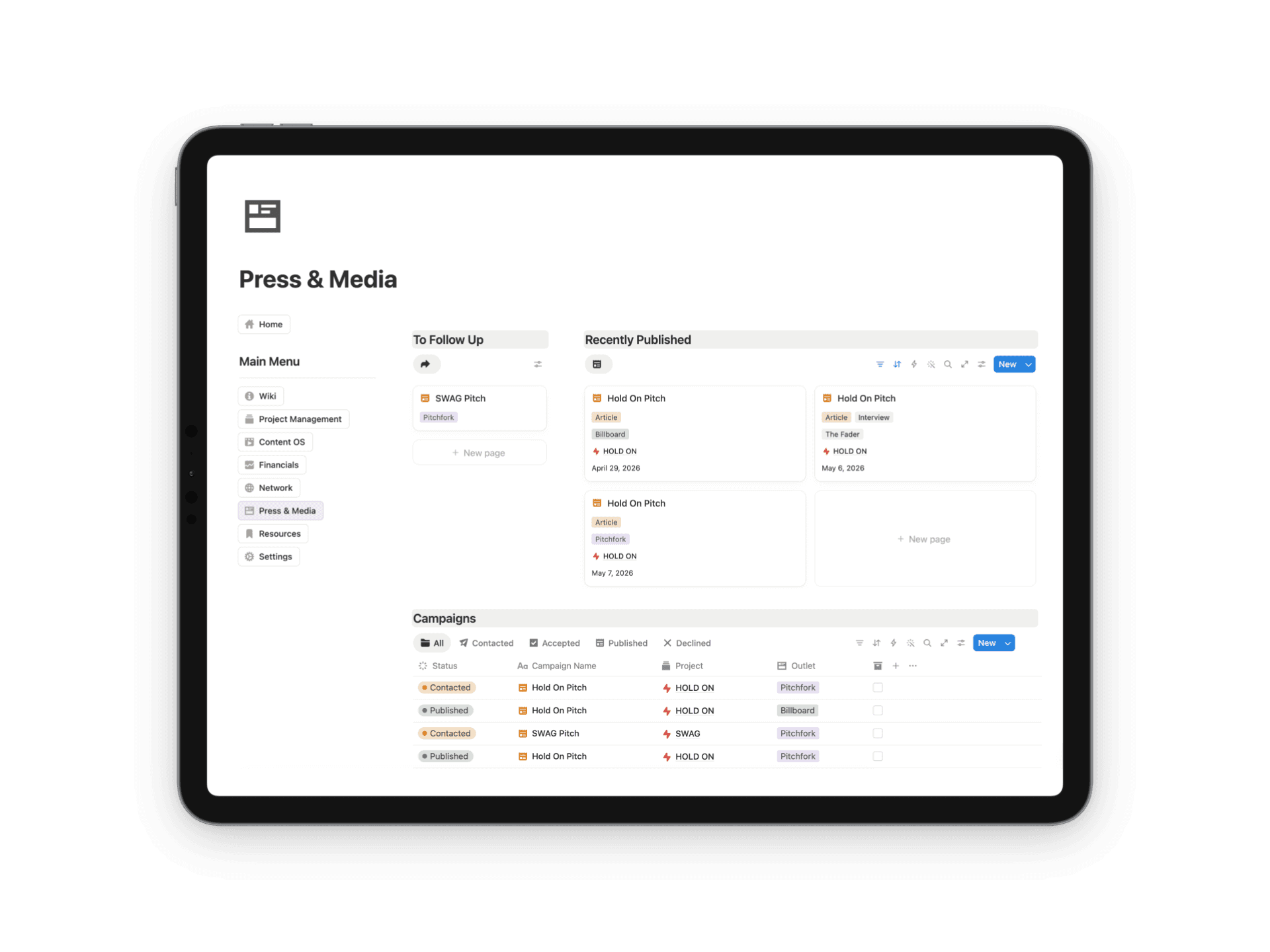
Press doesn't happen by accident. It happens because someone is consistently pitching, following up, and tracking results. Artist OS gives you a complete Campaign Tracker where every media pitch is linked to a project, tagged by outlet, and tracked through a full pipeline.
- →Not Contacted → Contacted → Follow Up → Accepted → Published → Declined
- →To Follow Up view surfaces every pitch needing attention
- →Recently Published gives you a running placement log
- →Full kanban for a bird's-eye view of your operation
- →Linked directly to your Network CRM
Module 07
Your team's living knowledge base
RESOURCES
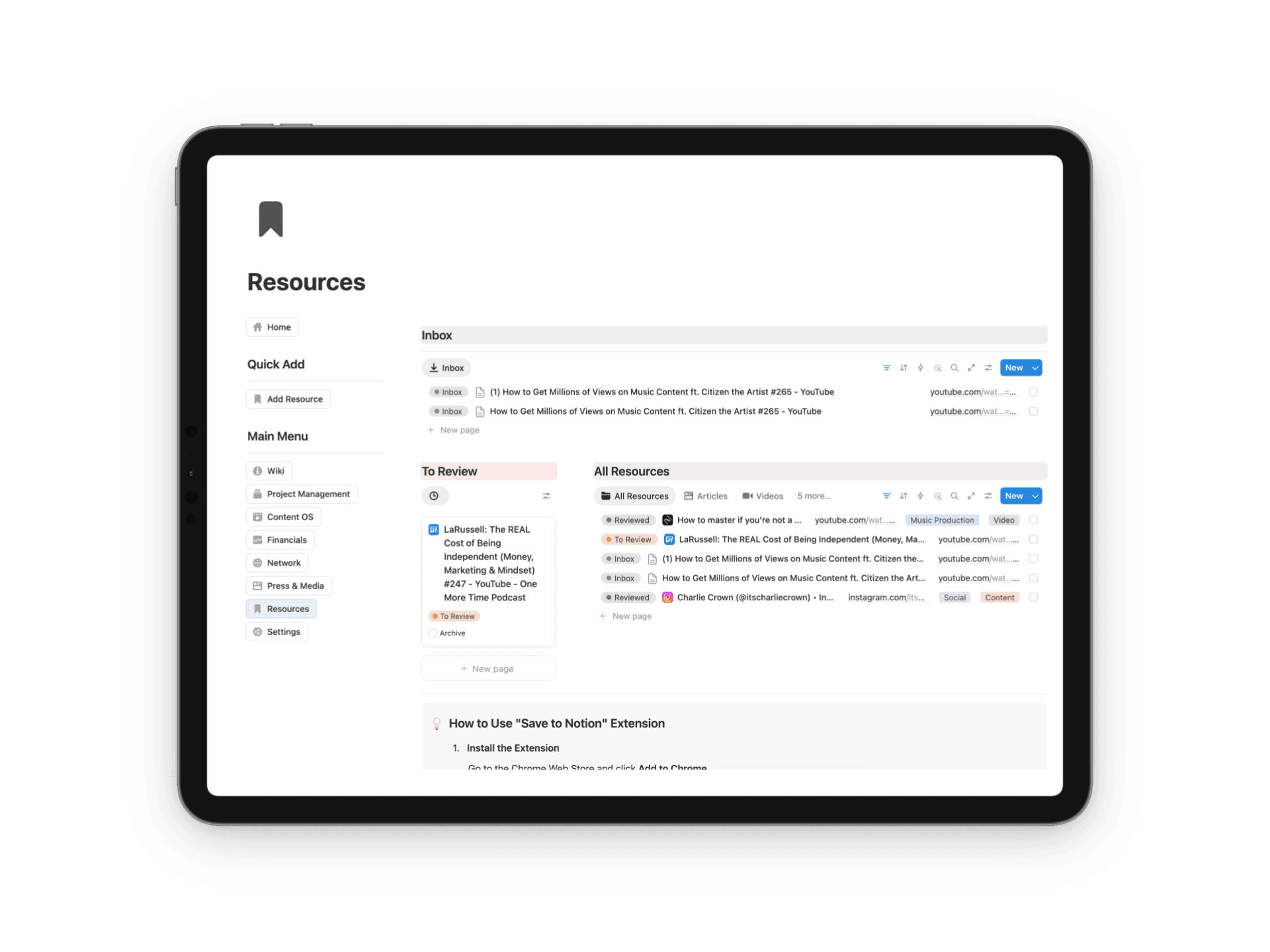
Great teams don't just share links in group chats that get buried and forgotten. They build a living knowledge base. The Resources module lets you and your team save anything — articles, podcasts, YouTube videos, tools, websites — directly into Artist OS using the Save to Notion Chrome extension.
- →Tagged by type (Article, Video, Podcast, Website, Tool)
- →Inbox for new saves, To Review queue for processing
- →All Resources view — fully searchable archive
- →No more lost links in group chats or DMs
03 / The math
$3K-$10K FOR A MANAGER
TO BUILD HALF OF THIS.
$67 ONCE FOR THE WHOLE SYSTEM.
YOURS FOREVER.
04 / How it works
FOUR STEPS
FROM CHAOS
TO SYSTEM.
01
Duplicate
One click to copy the template into your Notion workspace. Under 60 seconds.
02
Personalize
Add your name, your team, your projects, and your release schedule.
03
Operate
Run releases, plan content, track money, and grow your network — daily.
04
Scale
As your career grows, Artist OS grows with you. No subscriptions, no caps.
05 / This is for
ARTISTS RUNNING
A REAL OPERATION.
- →Independent artists at every stage
- →Music producers managing multiple projects
- →Singer-songwriters releasing on their own terms
- →Artist managers overseeing one or many acts
- →Creative entrepreneurs building a music brand
Not the right fit
HONEST ABOUT
WHO THIS ISN'T FOR.
- ×Hobby producers who don't release
- ×Artists with full-time managers handling all ops
- ×Anyone looking for a generic productivity template
- ×Teams already running on a system that works

06 / Built by
THE ARTIST WHO
USES IT DAILY.
I'm Charlie Crown. Miami DJ and producer. 50M+ streams. Releases on Sony Music, Ultra, and Dim Mak. Plays from The Chainsmokers, Martin Garrix, Steve Aoki, and Illenium.
Artist OS is the workspace I open every morning. Not a side project. Not a course-bait. The actual operating system that runs my catalog, my team, my finances, my press, and every release I've put out for the last three years.
I'm endorsed by McDSP, FabFilter, and Sonarworks. 100% independent. No labels on the masters, no agencies on the calendar.
The track record
PROVEN
ON RECORDS.
50M+
Streams
3
Major labels
#28
US Electronic chart
3
Brand endorsements
Artist OS is built by the producer behind 50M+ streams — releases on Sony Music, Ultra, and Dim Mak, played out by The Chainsmokers, Martin Garrix, Steve Aoki, and Illenium. Endorsed by McDSP, FabFilter, and Sonarworks.
Already a customer? Leave a review →Pair it with
MORE FROM THE SHOP
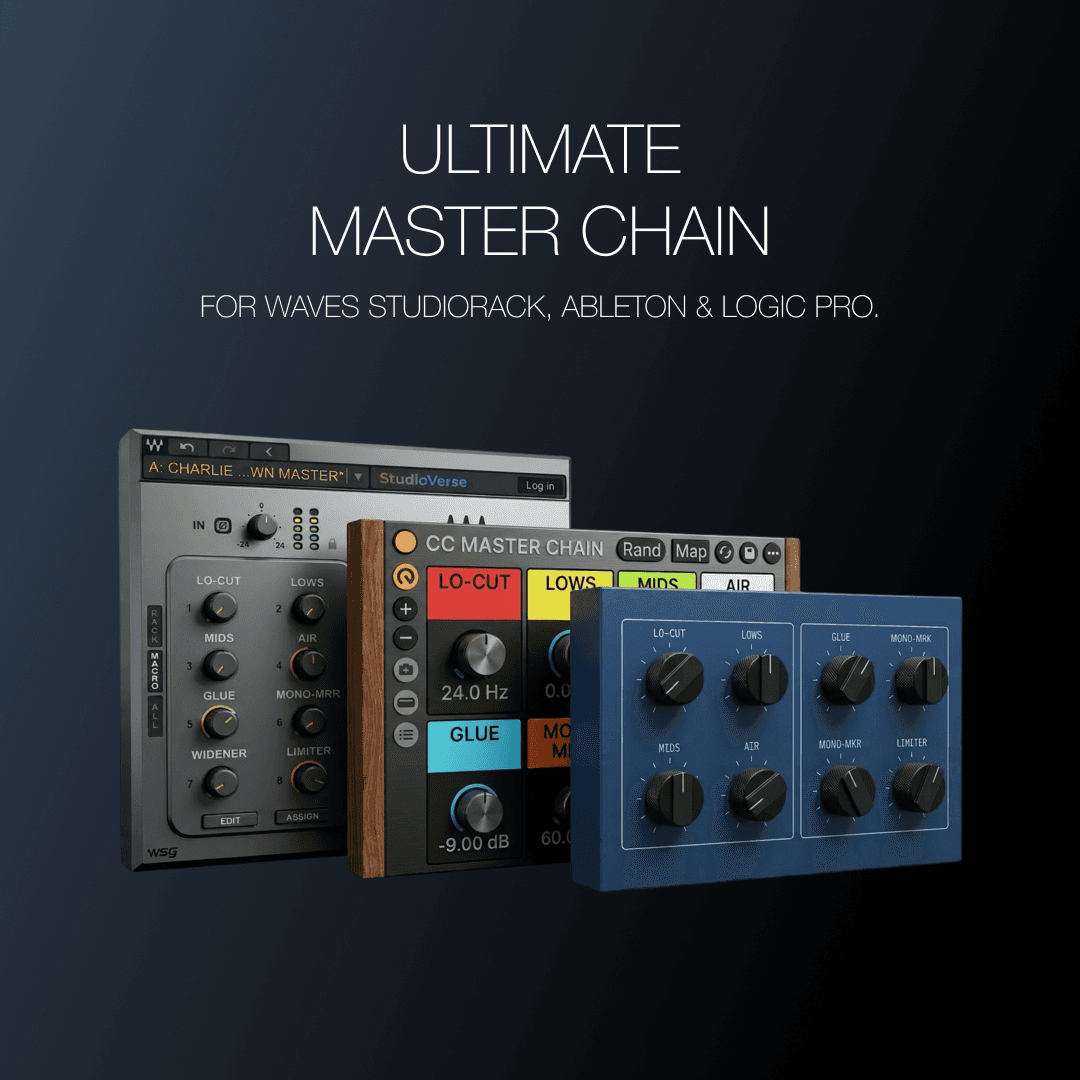 Best Value
Ultimate Master Chain Bundle
Five chains. Every mastering sound — analog color, transparent precision, console character. The exact builds on 50M+ streams.
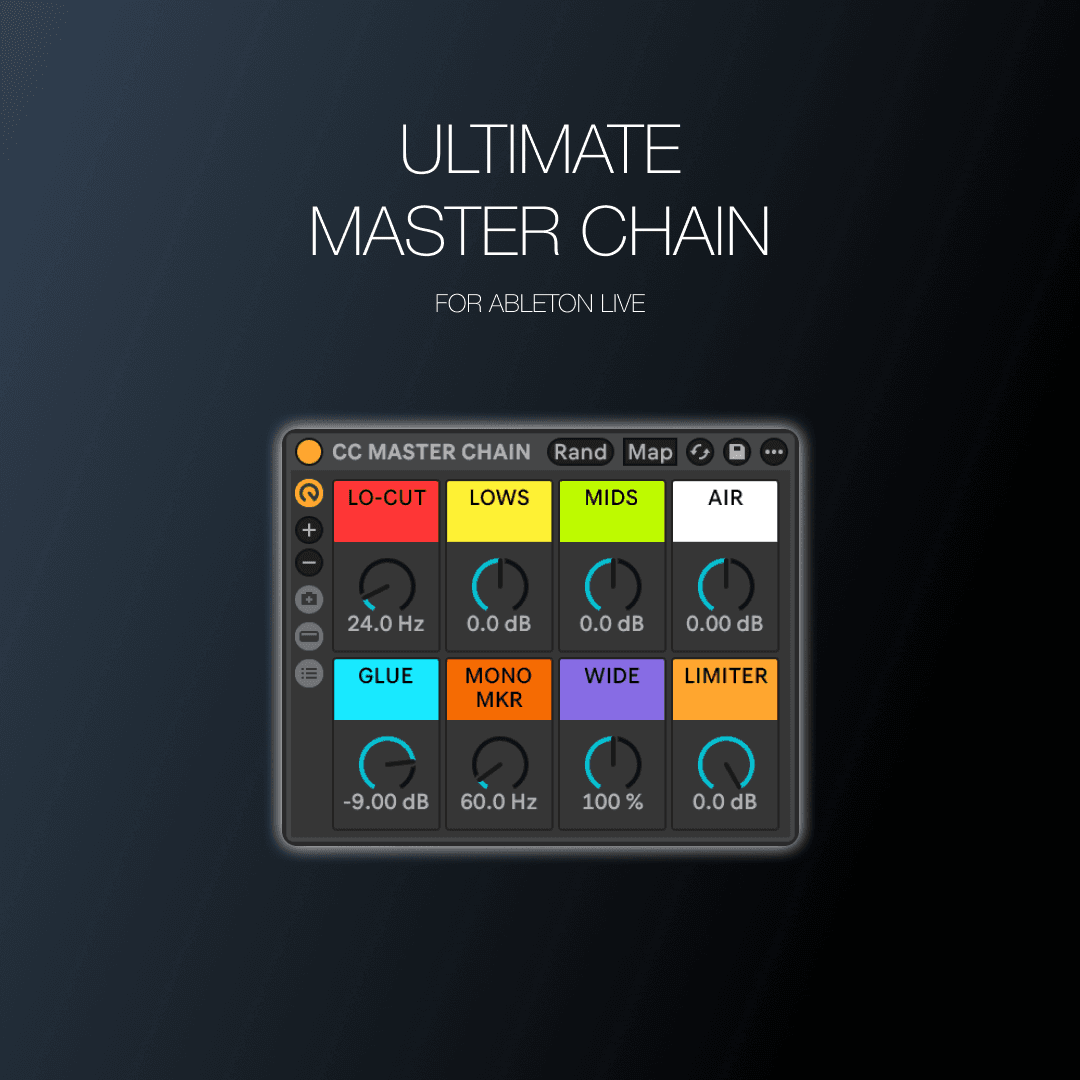
Ultimate Master Chain — Ableton
Stock-plugin mastering chain. 8 macros. Drop on master, done.
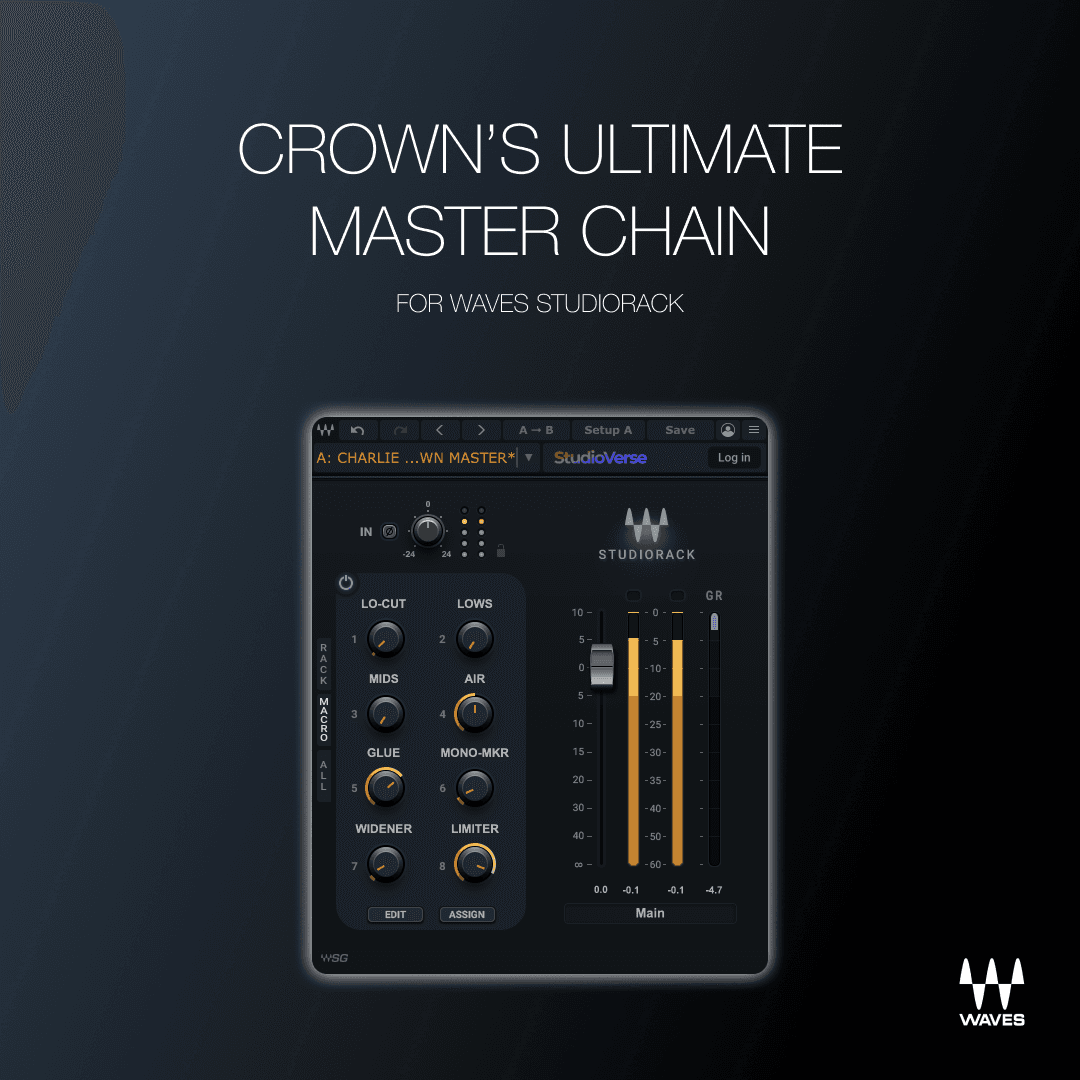
Ultimate Master Chain — Waves
SSL, PuigTec, L2 — the Waves chain I open on every release.
07 / FAQ
THE QUESTIONS
EVERYONE ASKS.
Do I need a paid Notion account?
No. Artist OS runs on Notion's free plan. If you upgrade Notion later for more team members, the workspace scales with you.
I'm a solo artist. Is this overkill?
It's built for the artist you're becoming, not just the one you are today. Solo producers use the release pipeline, content calendar, and finances modules from day one. The team modules wait for you instead of needing to be built later.
I already have a Notion setup. Why switch?
If yours works, keep it. Most artist Notion setups I see are productivity templates retrofitted for music — they break the moment you have splits, a press campaign, or a release with three collaborators. Artist OS is built for the music workflow specifically.
Can I customize it?
It's your workspace once you duplicate it. Rename, restructure, delete modules, add your own. Nothing is locked.
How long does it take to set up?
About 20 minutes. You can be running your next release through it the same day.
Will my manager, label, or team be able to use it with me?
Yes. Share the workspace with anyone, set permissions per page, and give roles different views. The team onboarding module is designed for exactly this handoff.
What if I'm not ready for the financial or press modules yet?
Ignore them until you are. They're already built so the day you sign your first sync deal or pitch your first blog, the system is waiting for you.
Refund policy?
All sales final. Due to the nature of digital products, once the duplicate link has been delivered we can't accept returns. If you have questions before buying, email me first — happy to walk you through it.
08 / The bottom line
YOU NEED
A SYSTEM.
Run your career like the operation it actually is. Duplicate, personalize, operate. Today.
One-time payment · Lifetime access · Notion free plan compatible